CsharpFlow
Flow - C# Coroutine Kernel 

 A comprehensive C# coroutine-based kernel library for .NET that provides cooperative multitasking and flow control primitives. Flow enables developers to build complex async workflows using coroutines, futures, barriers, triggers, and timers.
Key Features
- Coroutine-based execution - Cooperative multitasking without thread overhead
- Rich flow control primitives - Barriers, Triggers, Futures, Timers, Sequences
- Unity Integration - Full compatibility with Unity 4.0+ and modern versions
- Event-driven architecture - Comprehensive completion and timing event system
- Type-safe generics - Strongly typed futures and generators
- Flexible factory pattern - Easy creation and configuration of flow objects
Demo
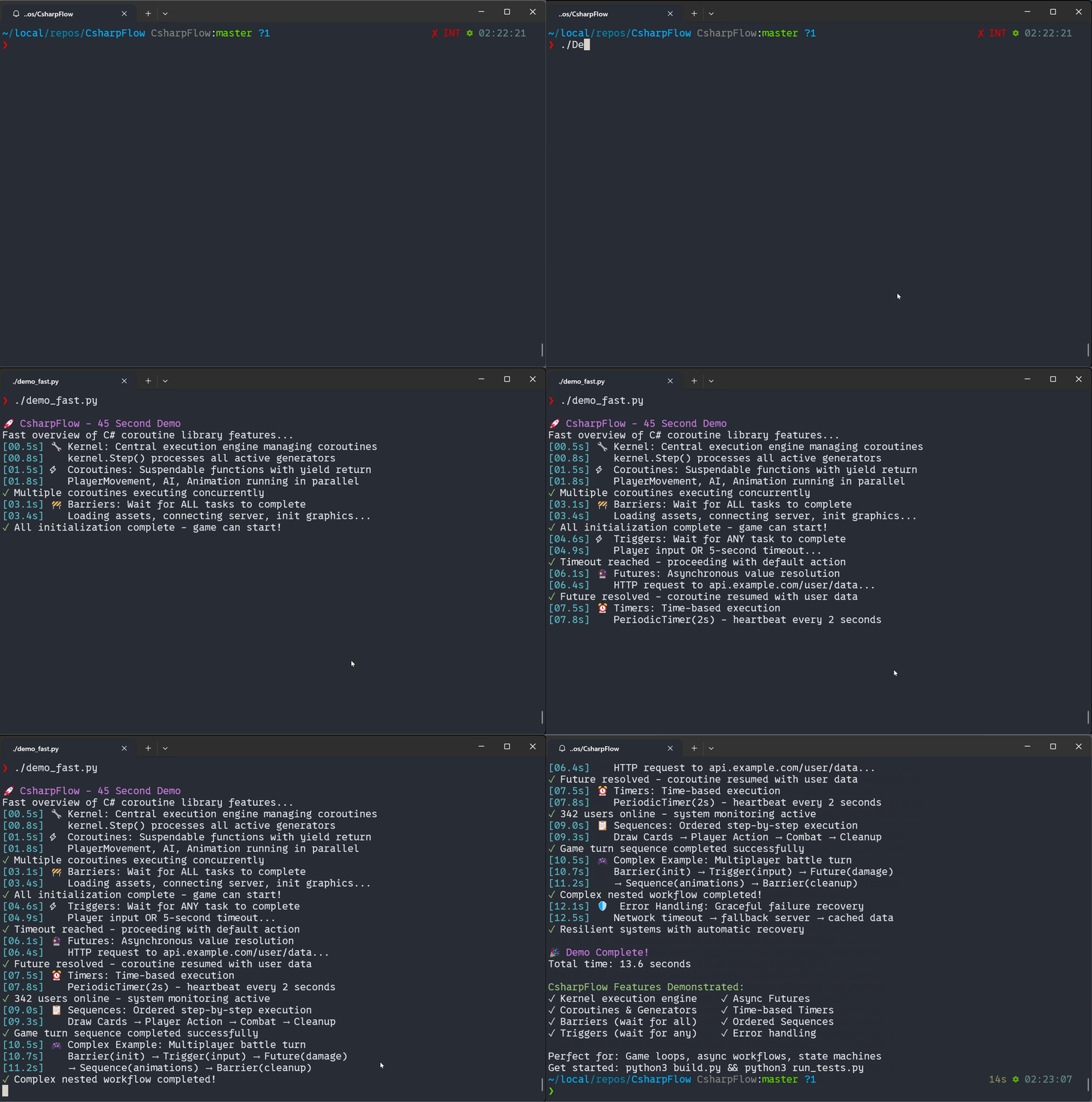
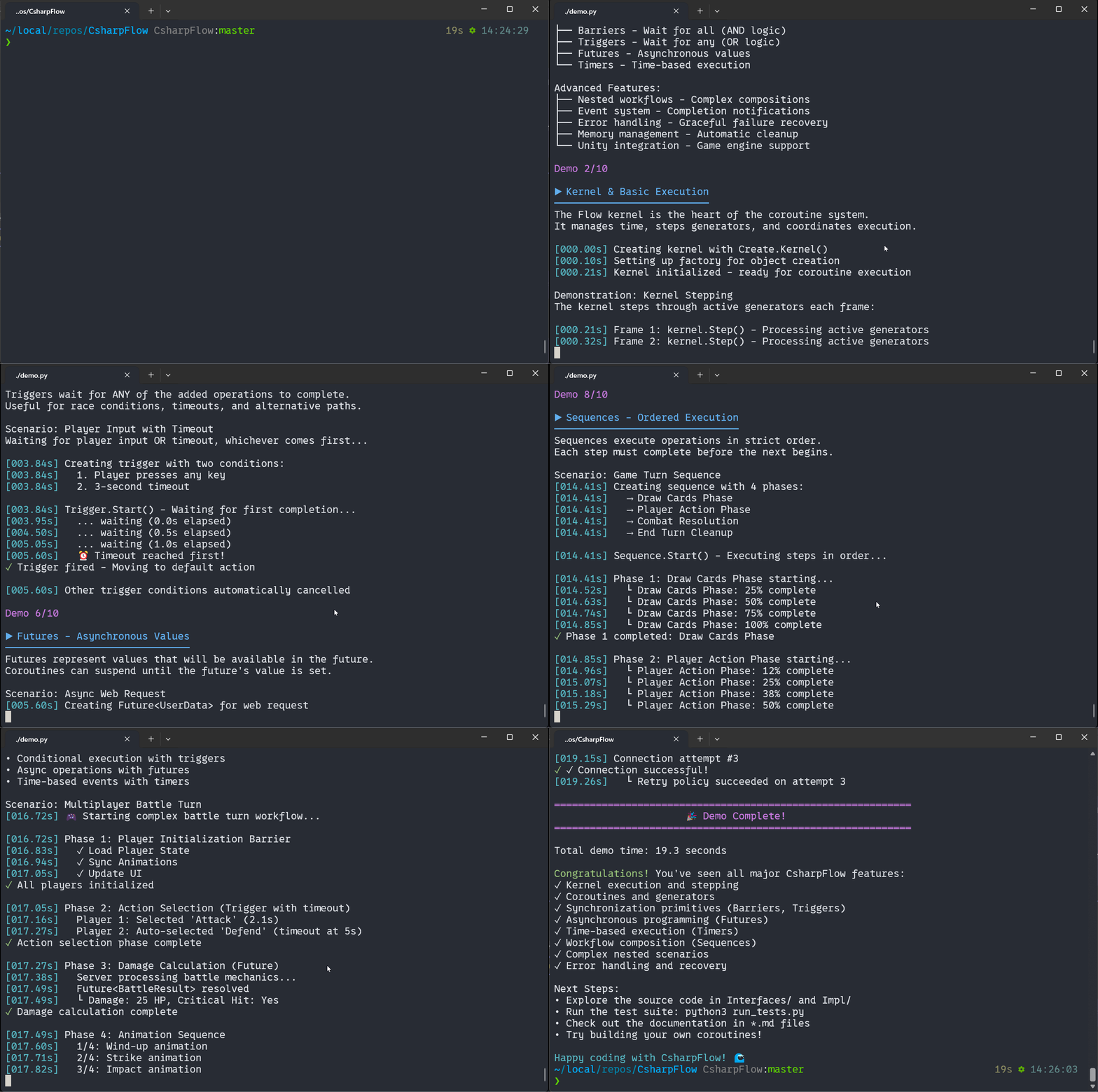
Longer Demo
Quick Start
// Create a kernel and basic coroutine
var kernel = Create.Kernel();
var coro = kernel.Factory.Coroutine(MyCoroutine);
kernel.Root.Add(coro);
// Step the kernel in your update loop
kernel.Step(); // or kernel.Update(deltaTime)
Project Structure
The library is organized into logical folders:
CsharpFlow/
├── Interfaces/ # All interface definitions (26 files)
│ ├── IKernel.cs # Core execution engine
│ ├── IGenerator.cs # Base execution units
│ ├── ITransient.cs # Lifetime management
│ ├── IFactory.cs # Object creation
│ └── Flow control interfaces (IBarrier, ITrigger, IFuture, etc.)
├── Impl/ # Implementation classes (25 files)
│ ├── Kernel.cs # Execution engine implementation
│ ├── Generator.cs # Base generator logic
│ ├── Factory.cs # Object factory
│ └── Flow control implementations
├── Logger/ # Logging subsystem
├── TestFlow/ # Comprehensive test suite
└── Properties/ # Assembly metadata
Core Components
Kernel (Interfaces/IKernel.cs, Impl/Kernel.cs)
The central execution engine that manages time and steps all active generators. Supports both delta-time and fixed-step execution.
Generators (Interfaces/IGenerator.cs, Impl/Generator.cs)
Base execution units including coroutines, subroutines, and sequences. Support suspension, resumption, and event-driven completion.
Factory (Interfaces/IFactory.cs, Impl/Factory.cs)
Comprehensive object creation system with 40+ factory methods for all flow control types.
Flow Control Primitives
- Barriers (
Interfaces/IBarrier.cs) - Wait for multiple operations to complete - Triggers (
Interfaces/ITrigger.cs) - Execute when any of multiple conditions are met - Futures (
Interfaces/IFuture.cs) - Represent values that will be available in the future - Timers (
Interfaces/ITimer.cs) - Schedule time-based execution - Sequences (
Interfaces/ISequence.cs) - Execute operations in orderDocumentation
Current documentation is available at GamaSutra (note: formatting may be inconsistent). The original detailed post was published on AltDevBlogADay but is no longer available.
Testing
The tests are located in
TestFlow/Editor/for Unity compatibility. The test suite covers: - Kernel execution and stepping
- Coroutine lifecycle management
- Barriers and synchronization primitives
- Future and timer functionality
- Channel communication
- Flow control structures
Run tests using your preferred NUnit test runner. These tests serve as both validation and usage examples.
Usage Examples
Basic Timer Example
private void CreateHeartbeat()
{
  New.PeriodicTimer(TimeSpan.FromMinutes(2)).Elapsed += tr =>
  {
      Get<UserCount>("user/alive").Then(result =>
      {
          if (result.Succeeded(out var val))
          {
              _activeUsers.Value = val.Num;
              Info($"{val.Num} users online.");
          }
      });
  };
}
Game Loop with Sequences and Barriers
public void GameLoop()
{
  Root.Add(
      New.Sequence(
          New.Coroutine(StartGame).Named("StartGame"),
          New.While(() => !_gameOver,
              New.Coroutine(PlayerTurn).Named("Turn")),
          New.Coroutine(EndGame).Named("EndGame")
      ).Named("GameLoop")
  );
}
Complex Barrier Synchronization
private IEnumerator StartGame(IGenerator self)
{
    var start = New.Sequence(
        New.Barrier(
            WhitePlayer.StartGame(),
            BlackPlayer.StartGame()
        ).Named("Init Game"),
        New.Barrier(
            WhitePlayer.DrawInitialCards(),
            BlackPlayer.DrawInitialCards()
        ).Named("Deal Cards"),
        New.Barrier(
            New.TimedBarrier(
                TimeSpan.FromSeconds(Parameters.MulliganTimer),
                WhitePlayer.AcceptCards(),
                BlackPlayer.AcceptCards()
            ).Named("Mulligan"),
            New.Sequence(
                WhitePlayer.PlaceKing(),
                BlackPlayer.PlaceKing()
            ).Named("Place Kings")
        ).Named("Preceedings")
    ).Named("Start Game");
    start.Completed += (tr) => Info("StartGame completed");
    yield return start;
}
Debugging and Tracing
The .Named() extension method enables debugging and tracing. The library provides extensive runtime visualization to monitor kernel execution in real-time.
Architecture
Flow uses a composition-based approach combining various flow control primitives. Below are the architectural diagrams for the major systems:
Core System Architecture
graph TB
K[Kernel] --> R[Root Node]
K --> F[Factory]
K --> T[TimeFrame]
K --> L[Logger]
F --> |Creates| G[Generators]
F --> |Creates| TR[Transients]
F --> |Creates| FC[Flow Controls]
R --> |Contains| N[Node Collection]
N --> |Steps| G
G --> CO[Coroutines]
G --> SU[Subroutines]
G --> SE[Sequences]
FC --> BA[Barriers]
FC --> TI[Triggers]
FC --> FU[Futures]
FC --> TM[Timers]
Flow Control Primitives
graph LR
subgraph "Sequential Flow"
SEQ[Sequence] --> |Step 1| A[Operation A]
A --> |Step 2| B[Operation B]
B --> |Step 3| C[Operation C]
end
subgraph "Parallel Flow"
BAR[Barrier] --> PA[Operation A]
BAR --> PB[Operation B]
BAR --> PC[Operation C]
PA --> |All Complete| DONE[Continue]
PB --> DONE
PC --> DONE
end
subgraph "Conditional Flow"
TRIG[Trigger] --> TA[Operation A]
TRIG --> TB[Operation B]
TRIG --> TC[Operation C]
TA --> |Any Complete| CONT[Continue]
TB --> CONT
TC --> CONT
end
Generator Lifecycle
stateDiagram-v2
[*] --> Created: Factory.Create()
Created --> Running: Resume()
Running --> Suspended: Suspend()
Suspended --> Running: Resume()
Running --> Completed: Complete()
Completed --> [*]
Running --> Stepping: Step()
Stepping --> Running: Continue
Stepping --> Suspended: yield return
Stepping --> Completed: End of method
Barrier Synchronization
sequenceDiagram
participant K as Kernel
participant B as Barrier
participant A as Task A
participant C as Task B
participant D as Task C
K->>B: Create Barrier
K->>A: Add Task A
K->>C: Add Task B
K->>D: Add Task C
loop Step Execution
K->>B: Step()
B->>A: Step()
B->>C: Step()
B->>D: Step()
end
A->>B: Complete()
C->>B: Complete()
D->>B: Complete()
B->>K: All Tasks Complete
Future/Promise Pattern
sequenceDiagram
participant P as Producer
participant F as Future<T>
participant C as Consumer
C->>F: Create Future
C->>F: ResumeAfter(future)
Note over C: Consumer Suspended
P->>F: Set Value
F->>F: Available = true
F->>C: Resume Consumer
C->>F: Get Value
Timer Execution Flow
graph TD
T[Timer Created] --> S[Start Timer]
S --> W{Wait for Interval}
W --> |Time Elapsed| E[Trigger Elapsed Event]
E --> OS{OneShot Timer?}
OS --> |Yes| C[Complete]
OS --> |No| W
C --> D[Timer Destroyed]
subgraph "Periodic Timer"
P[Periodic] --> W2{Wait for Interval}
W2 --> |Time Elapsed| E2[Trigger Elapsed Event]
E2 --> W2
end
This architecture eliminates the need to manually track state across update calls in game loops or async workflows.
Advanced Flow Patterns
graph TD
subgraph "Complex Game Loop"
GL[Game Loop] --> INIT[Initialize]
INIT --> MENU[Main Menu]
MENU --> |Start Game| GAME[Game Session]
GAME --> TURN[Player Turn]
TURN --> AI[AI Turn]
AI --> CHECK{Game Over?}
CHECK --> |No| TURN
CHECK --> |Yes| SCORE[Show Score]
SCORE --> MENU
end
subgraph "Async Resource Loading"
LOAD[Load Resources] --> PAR[Parallel Loading]
PAR --> TEX[Load Textures]
PAR --> AUD[Load Audio]
PAR --> DAT[Load Data]
TEX --> BARRIER[Wait All]
AUD --> BARRIER
DAT --> BARRIER
BARRIER --> START[Start Game]
end
Channel Communication
sequenceDiagram
participant P as Producer
participant C as Channel<T>
participant C1 as Consumer 1
participant C2 as Consumer 2
P->>C: Write(value1)
P->>C: Write(value2)
C1->>C: Read()
C->>C1: Return value1
C2->>C: Read()
C->>C2: Return value2
Note over C: Channel manages buffering and synchronization
Error Handling Flow
stateDiagram-v2
[*] --> Running: Start
Running --> Error: Exception Thrown
Running --> Completed: Normal Completion
Error --> Retry: Retry Policy
Retry --> Running: Attempt Again
Retry --> Failed: Max Retries
Completed --> [*]
Failed --> [*]
Error --> Fallback: Fallback Strategy
Fallback --> Completed: Fallback Success
Fallback --> Failed: Fallback Failed
Installation
Unity
- Clone or download this repository
- Copy the
Flowfolder into your Unity project’sAssetsfolder - The library will be automatically recognized via the included
.asmdeffiles.NET Projects
- Clone the repository
- Build the
Flow.slnsolution - Reference the compiled
Flow.dllin your project Alternatively, you can include the source files directly in your project.Performance Notes
Verbose Logging
The
Verbose()logging method evaluates all arguments even when the verbosity level would prevent output. Use caution with expensive operations:Verbosity = 10; Verbose(15, $"Result: {ExpensiveFunction()}"); // ExpensiveFunction() still executes!
For performance-critical code, check verbosity levels before logging:
if (Verbosity >= 15)
    Verbose(15, $"Result: {ExpensiveFunction()}");
Requirements
- .NET Framework 4.8 or later
- Unity 4.0+ (for Unity integration)
- NUnit (for running tests)